The differences that matter for an EA
| Question | MT4 | MT5 |
|---|---|---|
| Which program runs? | MT4-specific EA, normally compiled as .ex4. | MT5-specific EA, normally compiled as .ex5. |
| How is it programmed? | MQL4. | MQL5; porting requires development and verification. |
| What does the tester offer? | A traditional tester centered on one selected symbol, with modeled price paths. | Multi-currency testing, real-tick mode, testing agents, and integrated forward optimization. |
| How are positions represented? | Typically separate orders/positions, subject to broker restrictions. | Netting or hedging, depending on the trading account. |
| What should be verified? | EA build, broker permissions, symbol specifications, and inputs. | The same checks, plus the required netting/hedging account mode. |
These are platform distinctions, not performance rankings. Two similarly named EA versions can produce different trades because of implementation, broker data, account structure, or preset differences. Treat equivalence as something to test.
EA files and presets are not automatically portable
An MT4 executable does not run as an MT5 executable. Renaming .ex4 to .ex5 does not convert it. If a vendor supports both platforms, obtain the actual matching version and check its release notes.
A preset needs its own compatibility check. Both platforms may use files ending in .set, but a shared extension does not mean that parameter names, enum values, units, or strategy options match. Record the source platform, EA version, and intended account conditions before importing settings.
For a migration, make a small comparison sheet: parameter name, old value, new value, and explanation for any difference. A successfully loaded file can still leave changed or missing parameters at defaults. Review the resulting inputs, not just the filename.
Testing: match the tool to the question
MT5 is generally the more flexible choice for new research requiring multi-symbol simulations or large optimization runs. Its testing agents can distribute work, while real-tick history can improve the representation of historical price changes when suitable broker data is available. See the official tester documentation linked below.
MT4 remains useful when the actual strategy you plan to deploy is an MT4 EA. A test of a different MT5 product cannot substitute for testing that MT4 implementation. Keep the testing platform aligned with deployment rather than choosing whichever produces the most attractive chart.
For either platform, ask the same questions: Are costs realistic? Does the tested period include adverse conditions? Were the inputs selected before the evaluation period? Does the EA need a live service that the tester cannot reproduce? Faster optimization can also make it easier to search until you find a historical accident.
Netting versus hedging can change the strategy
On an MT5 netting account, trades in the same symbol contribute to one net position. On a hedging account, multiple positions in the same symbol can coexist. Confirm what the EA requires with its developer and what the broker account actually provides.
This is especially important for strategies that expect separate tickets, opposing positions, or baskets of trades. Do not assume a broker’s support for MT5 means every MT5 EA can operate on every account it offers. Review minimum volume, volume step, order permissions, and symbol names as well.
Which platform should you choose?
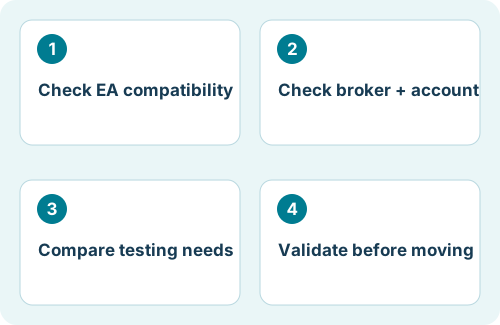
| Your situation | A sensible next step |
|---|---|
| Your existing EA is supported only on MT4 | Use its supported environment and evaluate that exact build. |
| You need MT5 multi-currency testing or optimization | Choose an MT5-compatible EA and confirm the broker/account requirements. |
| You already run Flex on one platform | Document the current setup before evaluating the other version on a separate demo account. |
| You are starting from scratch | Check product compatibility, broker access, and operational needs before buying a license. |
A useful comparison uses the same research question, comparable account conditions, and a fixed evaluation window. Record differences rather than repeatedly adjusting one side to make the results match. Neither platform offers a guarantee of positive returns.
Before moving a working setup
- Save the existing EA version, preset, symbol list, and account details securely.
- Confirm the target platform’s license and supported account mode.
- Backtest the target implementation and then run it on a separate demo account.
- Plan ownership of open trades: the new EA may not recognize trades opened by the old one.
- Choose a controlled cutover and check for duplicate running instances.
For Flex EA, use the current MT4 or MT5 download from your member area and the documentation accompanying that release. Do not infer that every strategy preset is identical across both versions. Where compatibility is unclear, ask support before changing a live deployment.
References and scope
Platform mechanics are documented in the official MetaQuotes references below. The workflow, checklists, and examples are editorial guidance. Menus and available features may vary by terminal build and broker. Flex-specific notes refer to the product homepage; consult your installed release’s member documentation for exact inputs.